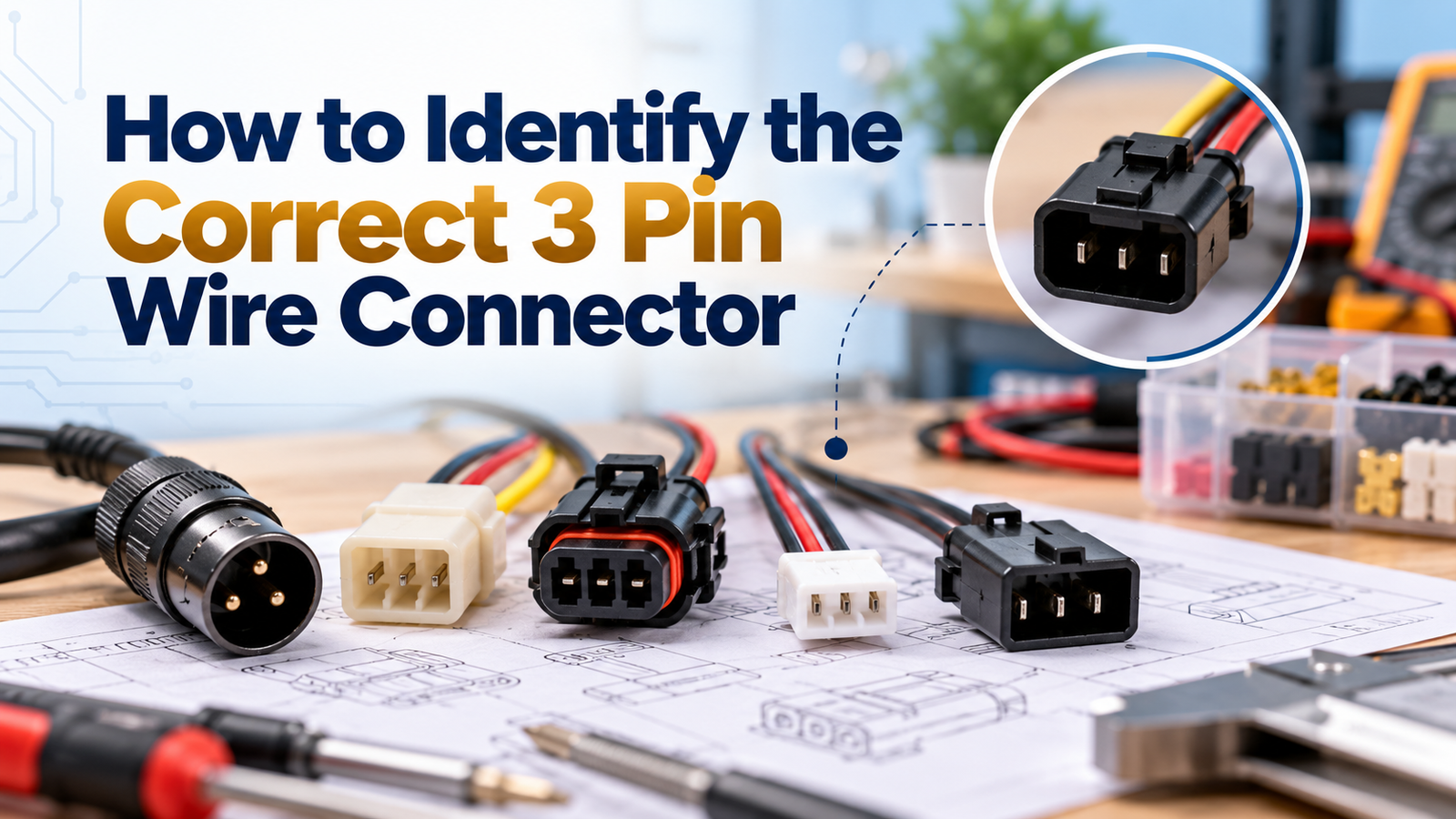
Open a drawer full of spare connectors, and they can start to look frustratingly similar. Three pins, roughly the same size, same general shape, and yet one might be rated for a completely different load than another, or built for a different environment entirely. If you’ve ever stood there trying to figure out which 3 pin wire connector actually matches your application, you’re not alone. Here’s a practical, step-by-step way to identify the right one.
Why This Is Harder Than It Should Be
Connectors aren’t labelled the way most other electrical components are. A resistor usually has its value printed right on it. A wire often has its gauge marked. But connectors frequently rely on you knowing, or checking, the manufacturer’s documentation, since the physical part itself often gives you very few obvious clues about its actual rating or intended use.
This is exactly why so many wiring mistakes happen with connectors specifically, people grab the one that looks closest to what they remember using before, without actually confirming it’s genuinely right for the current job.
Step 1: Identify What the Connector Is Actually Carrying
Before anything else, figure out what the three pins are meant to carry in your specific application. Common configurations include:
Power, neutral, and ground, typical for mains-powered equipment
Power and two signal lines, common in sensors and control equipment
Three separate signal or data lines, found in some audio and data transfer applications
Knowing which of these applies to your situation narrows down which connector type actually makes sense, rather than treating all 3 pin connectors as interchangeable.
Step 2: Check the Physical Shape and Keying
Most 3 pin connectors are “keyed,” meaning they’re designed to only fit together one specific way, preventing an incorrect connection. Look closely at the pin arrangement:
Are the pins arranged in a straight line, or a triangular pattern?
Is there a flat edge, notch, or specific shape on the housing that only allows one orientation?
Does it have a locking mechanism, a clip, a screw-lock, a push-and-twist design?
Matching this physical keying correctly is your first practical check, if the shape doesn’t naturally match your existing socket or application, it’s very likely the wrong connector, regardless of how similar it looks at a glance.
Step 3: Confirm the Current and Voltage Rating
This is the step most people skip, and it’s genuinely the most important one for safety and reliability. Check the connector’s documentation, or the manufacturer’s specification, for its actual rated current and voltage. Never assume based on size alone, a connector can look substantial while actually being rated for relatively low current, or appear compact while still handling meaningful power.
If you don’t have documentation for a specific connector, and can’t verify its rating, it’s safer to source a new, properly specified one rather than guessing with an unidentified spare.
Step 4: Check the Application Environment
Is This for Indoor or Outdoor Use?
Outdoor or exposed connections need genuine weatherproofing, sealed housings, rubber gaskets, specific moisture resistance ratings. A standard indoor wiring connectors won’t hold up reliably outdoors, even if the pin count and general shape match.
Will It Face Vibration or Movement?
Automotive and industrial applications, where constant vibration is a factor, need connectors specifically rated for vibration resistance. A connector designed for a stationary indoor panel may work loose over time in these conditions.
What’s the Temperature Range It’ll Experience?
Connectors near heat-generating equipment, or in direct sun exposure, need appropriately rated insulation and housing material, something that isn’t visible just by looking at a connector sitting in a drawer.
Step 5: Identify the Connector Type by Common Naming
Once you understand the application, you can usually narrow down the type by common category:
XLR-style connectors are typically used in audio applications, with a distinctive round shape and locking mechanism.
Molex-style connectors commonly appear inside computers and electronics, usually plastic-bodied with a simple push-fit design.
Automotive-style 3 pin connectors are typically more ruggedly built, often with additional sealing and secure locking features.
JST-style connectors are small, lightweight, and common in compact consumer electronics.
If you can identify which general category matches your application, sourcing the correct, properly rated replacement becomes much more straightforward.
Step 6: When in Doubt, Compare Against the Original
If you’re replacing an existing connector, the safest approach is to match the replacement against the original as closely as possible, same pin configuration, same physical keying, and ideally, the same or better current and voltage rating. If you no longer have the original, or it’s unlabelled, check the equipment’s own documentation for the connector specification it requires.
A Simple Self-Check
Have you confirmed exactly what the three pins are meant to carry?
Does the physical shape and keying actually match your application?
Have you verified the current and voltage rating, rather than assuming based on size?
Does the environment require weatherproofing or vibration resistance?
Can you identify the general connector category, or are you still guessing?
If you’re still unsure after working through these steps, it’s genuinely worth sourcing the connector fresh, with proper specification confirmed, rather than relying on an unidentified spare from a drawer.
Frequently Asked Questions
Q: Can I use any 3 pin connector as long as the pin count matches?
No. Pin count alone tells you very little about current rating, voltage tolerance, or environmental suitability. Two connectors can have identical pin counts while being built for completely different applications.
Q: How do I know if a connector is rated for outdoor use?
Check the manufacturer’s specification for an ingress protection, or IP, rating, which indicates resistance to dust and moisture. If you can’t find this information, it’s safest to assume the connector is for indoor use only.
Q: What happens if I use an undersized connector for my application?
It can overheat, degrade faster than expected, or fail under sustained load, sometimes without obvious warning signs until the connection actually gives way. Always match the connector’s rating to your actual current and voltage needs.
Q: Is it safe to use a connector if I don’t know its exact specification?
It’s genuinely risky, especially for anything carrying real power. If you can’t verify a connector’s rating through documentation or a reliable supplier, it’s safer to source a new, properly specified one.
Q: Do male and female sides of a 3 pin connector need to be from the same manufacturer?
Not necessarily, many connector types follow industry-standard dimensions that allow compatible parts from different manufacturers. However, matching from the same manufacturer, or at minimum confirming genuine compatibility, reduces the risk of a poor, unreliable fit.
Q: Where can I check a connector’s actual specification if it’s unlabelled?
A reliable power connector supplier or manufacturer can often help identify a connector based on its physical characteristics, or recommend a properly specified replacement based on your described application.
Final Thoughts
Identifying the correct 3 pin wire connector isn’t just about matching pin count, it’s about understanding what the connector needs to carry, confirming its actual rating, and making sure it suits the environment it’ll actually be used in. A little extra verification upfront prevents the kind of quiet, gradual failures that undersized or mismatched connectors tend to cause over time.
If you’re trying to identify or source the right 3 pin connector for your application, reach out to HS Electronics. Share your application details, and the team can help you confirm exactly what you need, rather than relying on guesswork.